
Table Of Content
- The Verdict at a Glance
- Prerequisites
- Step 1. The Four Products at a Glance
- Step 2. Pricing Side by Side
- What 10 and 50 Users Actually Cost
- Step 3. Feature Comparison
- Step 4. Strengths, Weaknesses and Best Fit
- Step 5. Hidden Costs and Total Cost of Ownership
- Step 6. Which One for Which Business
- Common Mistakes
- Conclusion
- Sources
Zoho CRM vs HubSpot vs Bitrix24 vs Salesforce: An Honest Comparison
Published on September 11, 2026
Introduction
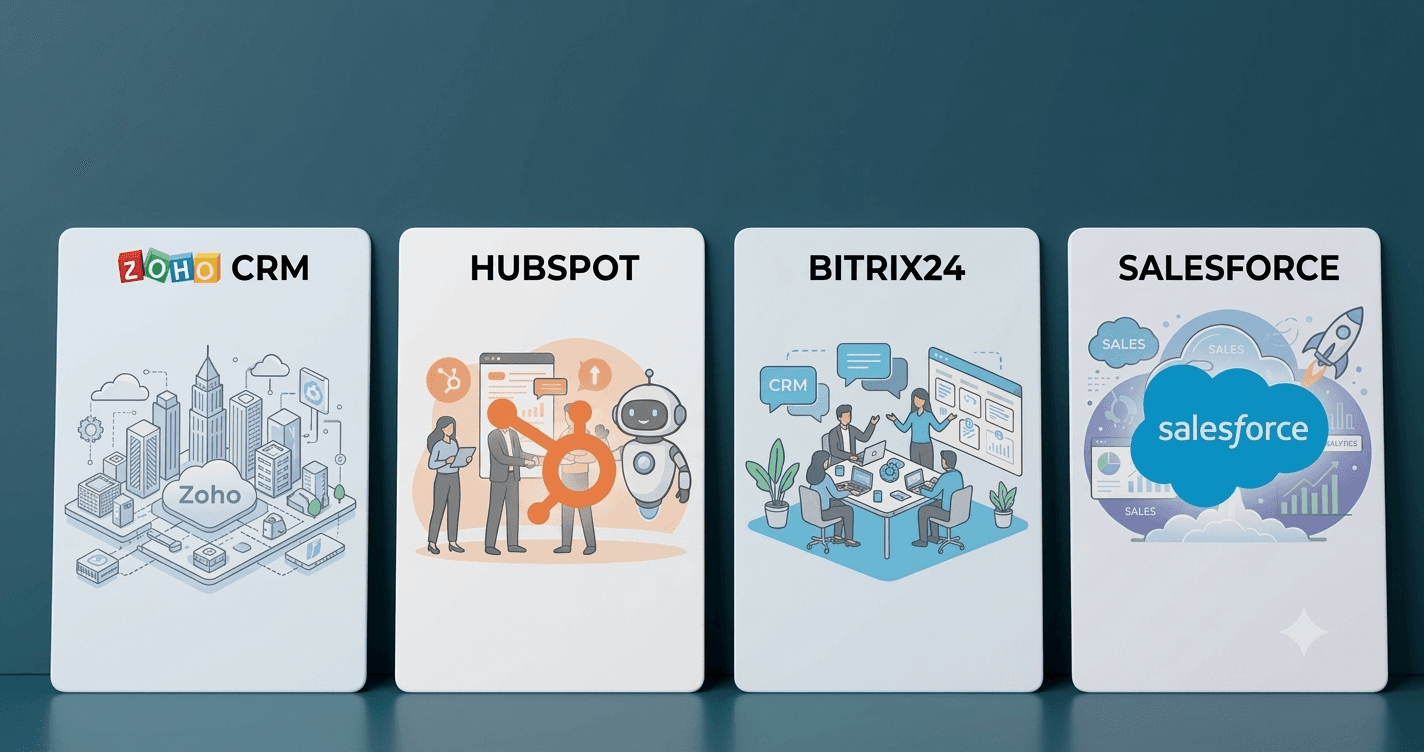
"Which CRM should we buy?" is usually the wrong first question. The four products in this comparison are not four flavours of the same thing. Salesforce is a platform you build a sales organisation on. Zoho CRM is a deep, affordable CRM that sits inside a suite of forty-odd business apps. HubSpot is the CRM that grew out of inbound marketing and is still the easiest of the four to adopt. Bitrix24 is a collaboration workspace with a CRM bolted firmly into it and a pricing model that ignores user counts.
So the right first question is "what kind of company are we, and what do we need the system to do in two years?" This guide compares the four on pricing, features, customisation, AI, integrations, hosting and total cost, and then maps typical business profiles to the product that fits.
A word on fairness. I implement Zoho for a living, so I have a bias and I would rather declare it than pretend otherwise. To keep the comparison honest, every price and feature claim below was checked against the vendors' own pricing pages and recent third-party pricing trackers in early September 2026, and the scorecard was sanity-checked against independent analyst placements. The sources are listed at the end. Prices are US list prices in USD per month, billed annually, unless stated otherwise. Vendors change these several times a year, so treat the numbers as a snapshot and re-check before you sign.
The Verdict at a Glance
If you only read one section, read this one. Each product wins a different race:
Best value for SMB and mid-market sales teams
The deepest CRM feature set below $50 per user, with a suite to grow into. The default pick for a sales team of 5 to 200 that does not need an enterprise platform.
Best for marketing-led teams that want one polished tool
The easiest CRM to adopt, with best-in-class inbound marketing next door and a huge app marketplace. Costs jump sharply once you need Professional.
Best price for many users on a budget
Flat per-organisation pricing: 50 users for $99 a month, with chat, tasks and a contact centre thrown in. Deeper than its price suggests, especially on-premise; expect a learning curve.
Best platform for large enterprises
Unmatched customisation, ecosystem, governance and AI roadmap, at five times the price of Zoho Enterprise before add-ons.
The scorecard below rates each product from 1 to 10 on the criteria that decide most CRM selections. The scores are my own, drawn from the pricing and feature analysis in the rest of this article, so treat them as an informed opinion rather than a benchmark. The longest bar in each row is marked Best.
There is deliberately no overall average. An unweighted average would crown whichever product happens to be decent at the most rows, which says more about my choice of rows than about the products. Instead, the bottom block applies the same scores with four different sets of weights, one per buyer profile, and a different product wins each one.
| Criterion | Zoho CRM | HubSpot | Bitrix24 | Salesforce |
|---|---|---|---|---|
Value for a team of 10 Licence cost vs what you get | 8 | 5 | 9 | 3 |
Value for a team of 50 Per-seat cost at scale | 8 | 4 | 10 | 2 |
Sales CRM depth Pipelines, forecasting, sequences, territories | 9 | 8 | 7 | 10 |
Customisation and developer platform Low-code, code, custom objects, field-level control per role | 8 | 6 | 7 | 10 |
AI capabilities Predictions, generative AI, agents | 7 | 8 | 6 | 9 |
Quotes, invoicing and payments Turning a deal into a document and a payment | 7 | 5 | 5 | 6 |
Extras included in the price Collaboration, telephony, support tools without add-ons | 6 | 6 | 9 | 3 |
Marketing and service strength Quality of the wider platform, included or as add-on | 7 | 9 | 6 | 8 |
Integrations and ecosystem Marketplace, API, partners | 8 | 9 | 5 | 10 |
Ease of use and time to value How fast a team is productive | 7 | 9 | 6 | 6 |
Self-hosting option On-premise or own-cloud deployment. n/a = cloud only | n/a | n/a | 10 | n/a |
Data residency and security controls Choice of region, certifications, encryption, 2FA | 8 | 6 | 6 | 9 |
Enterprise scale and governance Sandboxes, release management, large deployments; analyst placement | 6 | 7 | 7 | 10 |
User interface and localisation UI languages, country-specific localisations, regional partners | 7 | 6 | 7 | 7 |
| Weighted by buyer profilesame scores, different priorities | ||||
SMB sales team, 5 to 30 users Weights: value, CRM depth, ease of use | 7.6 | 6.9 | 7.0 | 6.9 |
Marketing-led growth team Weights: marketing strength, ease of use, integrations, AI | 7.5 | 7.8 | 6.7 | 7.2 |
Many users, tight budget Weights: cost at 50 seats, extras included | 6.9 | 6.1 | 8.1 | 4.8 |
Large enterprise Weights: depth, platform, AI, governance | 7.5 | 7.3 | 6.4 | 8.8 |
Read the bottom block as the real verdict. Zoho CRM wins the SMB sales-team profile, HubSpot wins when marketing drives the pipeline and adoption speed matters most, Bitrix24 wins on seat count with a tight budget, and Salesforce wins the enterprise profile by a wide margin. One row is pass/fail: only Bitrix24 can be self-hosted, so the other three score nothing there. And one external check is worth stating plainly: Gartner's 2025 Magic Quadrant for Sales Force Automation names Salesforce, Microsoft and Oracle as Leaders; Zoho is placed as a Visionary and HubSpot also sits outside the Leaders quadrant, while Bitrix24 is not evaluated. On enterprise-grade sales automation, Salesforce is the reference point.
Prerequisites
Before comparing products, write down:
- Head count now and in 24 months, and how many of those people actually sell. Three of the four products price per user or per seat, one prices per organisation, and two have a real free tier.
- Scope: sales only, or sales plus marketing, support, quoting, payments?
- Process complexity: simple pipeline, or enforced multi-step processes with approvals and custom logic?
- Integration needs: what must the CRM talk to, and does any of that need custom code?
- Hosting constraints: is cloud fine, or does policy require self-hosting or a specific region?
- Budget reality: licence cost is often a third of the first-year total once implementation, onboarding fees and training are counted.
Step 1. The Four Products at a Glance
| Zoho CRM | HubSpot | Bitrix24 | Salesforce (Sales Cloud) | |
|---|---|---|---|---|
| What it is | Dedicated CRM inside the Zoho suite | CRM platform with Sales, Marketing, Service, Content and Commerce Hubs | Collaboration workspace + CRM + contact centre | Enterprise CRM platform with an app ecosystem |
| Pricing model | Per user, 5 editions | Per seat, 3 paid tiers per Hub; cheaper "core" seats for non-sales users; Marketing Hub priced by contacts | Per organisation, flat price per plan | Per user, 5 editions |
| Free tier | Free edition, up to 3 users | Free tools: CRM with basic sales, marketing and service features, 2 sales seats | Free plan, unlimited users, 5 GB, heavily limited | None (free trial only) |
| Entry paid price | $14/user | $20/seat monthly, $15/seat annual (Starter) | $49/month for 5 users | $25/user (Starter Suite) |
| Top-tier price | $52/user | $150/seat (Enterprise) plus $3,500 onboarding | From $399/month for 250 users | $550/user (Max) |
| Self-hosting | No | No | Yes (on-premise perpetual licence) | No |
| Sweet spot | SMB to mid-market sales teams that want depth at a low price | Marketing-led SMB and mid-market teams that value adoption speed | Teams of any size that want many seats for a flat price, including large on-premise deployments | Large or fast-scaling organisations with budget and a need for platform-level customisation |
Step 2. Pricing Side by Side
The four vendors slice their tiers differently, so the table lines them up by role (free, entry, mid, upper, top) rather than by name. Prices are per user or seat per month with annual billing unless the cell says otherwise; the figure in brackets is the monthly-billing price where one exists.
| Tier | Zoho CRM | HubSpot Sales Hub | Bitrix24 (per organisation) | Salesforce Sales Cloud |
|---|---|---|---|---|
| Pricing unit | Per user, all users on the same edition | Per seat. Sales seats carry the full price; core seats for non-sales staff cost about half at Professional and Enterprise | Flat price per plan, fixed number of seats included | Per user |
| Free | Free edition: $0, up to 3 users | Free tools: $0, CRM with unlimited contacts storage, 2 sales seats, basic email, forms, live chat | Free plan: $0, unlimited users, 5 GB, no automation, no multiple pipelines | None, 30-day trial only |
| Entry | Standard $14 ($20) | Starter $15 ($20): simple automation, quotes, payments, meeting links, 2 pipelines; often promoted lower for the first year | Basic $49 ($69): 5 users, 24 GB | Starter Suite $25 (monthly billing available) |
| Mid | Professional $23 ($35) | Professional $90 ($100) plus a mandatory $1,500 one-time onboarding fee: sequences, workflows, forecasting, playbooks, custom reports, 15 pipelines | Standard $99 ($144): 50 users, 100 GB | Pro Suite $100 |
| Upper | Enterprise $40 ($50) | Enterprise $150 plus a mandatory $3,500 onboarding fee: custom objects, hierarchical teams, conversation intelligence, predictive scoring, sandbox, 100 pipelines | Professional $199 ($289): 100 users, 1 TB | Core $195 (replaces Enterprise at $175): API, Agentforce, Slack, 500,000 Flex Credits |
| Top | Ultimate $52 ($65) | No higher tier; Customer Platform bundles add the other Hubs | Enterprise from $399: 250 users and up, 3 TB and up | Advanced $395 (replaces Unlimited at $350), Max $550: full Agentforce, Spiff, Sales Planning, 2.75 million Flex Credits |
| Self-hosted option | None | None | On-premise perpetual licence: Business 50 users about $3,590 in year one, renewals around half | None |
| Suite bundle | CRM Plus about $57 per user; Zoho One priced per employee | Starter Customer Platform bundles every Hub's Starter tier; Professional and Enterprise Customer Platform bundles exist too. Marketing Hub on its own scales with contact count | Tasks, chat, telephony, sites and HR included in every plan | Service, Marketing, CPQ and Experience Cloud sold separately |
| What to watch | Every user must be on the same edition; feature limits step up per edition | The jump from Starter to Professional is roughly six-fold per seat plus onboarding; Marketing Hub cost grows with contacts; Breeze AI is metered by HubSpot Credits | Free plan is a demo, not a production CRM: search stops at about 1,000 records per category | Line-up changed on 3 September 2026; Flex Credits meter AI usage and cost extra once used up |
For how Zoho's five editions map to real requirements, see How To Choose the Right Zoho CRM Edition.
What 10 and 50 Users Actually Cost
Licence cost per month, annual billing, US list price, choosing the edition a growing sales team with a defined process would realistically need (validation, some automation, quotes, an integration or two). HubSpot figures assume every user needs a full sales seat; teams with many non-selling users can cut the Professional and Enterprise numbers by using core seats.
| Team size | Zoho CRM | HubSpot | Bitrix24 | Salesforce Sales Cloud |
|---|---|---|---|---|
| 10 users, mid tier | Professional $230 | Professional $900 plus $1,500 once | Standard $99 (50 seats included) | Pro Suite $1,000 |
| 10 users, upper tier | Enterprise $400 | Enterprise $1,500 plus $3,500 once | Professional $199 (100 seats included) | Core $1,950 |
| 50 users, mid tier | Professional $1,150 | Professional $4,500 plus $1,500 once | Standard $99 | Pro Suite $5,000 |
| 50 users, upper tier | Enterprise $2,000 | Enterprise $7,500 plus $3,500 once | Professional $199 | Core $9,750 |
| Cheapest working CRM | Free, 3 users only | Free tools for 2 sales seats; Starter $150 for 10, $750 for 50 | Free $0, unlimited users, but no automation or multiple pipelines | Starter Suite $250 for 10, $1,250 for 50 |
Three things jump out. Bitrix24's flat pricing makes it almost free per seat once you pass twenty users. HubSpot is cheap to start and expensive to grow: Starter competes with Zoho Standard, but Professional costs about four times Zoho Professional before the onboarding fee. And Salesforce Core costs roughly five times Zoho Enterprise for the same head count, before add-ons. Those premiums buy adoption speed and a marketing platform in HubSpot's case, and a development platform, an ecosystem and an AI roadmap in Salesforce's case; whether that is worth it is the subject of the next sections.
Step 3. Feature Comparison
| Area | Zoho CRM | HubSpot Sales Hub | Bitrix24 CRM | Salesforce Sales Cloud |
|---|---|---|---|---|
| Core sales objects | Leads, Contacts, Accounts, Deals, Activities, custom modules | Contacts, Companies, Deals, Tickets, Activities; custom objects on Enterprise only | Leads, Contacts, Companies, Deals, Smart Processes (custom objects) | Leads, Contacts, Accounts, Opportunities, Activities, custom objects |
| Multiple pipelines | Standard and up | 2 on Starter, 15 on Professional, 100 on Enterprise | Paid plans | All editions |
| Process enforcement | Blueprint, validation rules, approvals (mid to upper editions) | Required properties per stage, workflow automation (Professional and up), approvals on Enterprise | Automation rules, triggers, Smart Process workflows | Flow, validation rules, approval processes, Path |
| Custom code / low-code | Deluge custom functions, client scripts, Canvas UI designer, widgets. Showing or hiding fields per role on create, edit and view takes client scripts or layout rules and is more work than it should be | Workflows with custom code actions (Professional and up), UI extensions, serverless functions on Enterprise; shallower than Zoho or Salesforce | Business process designer, automation rules and triggers, RPA, Smart Processes, field visibility and access permissions per role, custom translations; on-premise ships the full PHP source code, so anything can be changed | Apex, Lightning Web Components, Flow; by far the deepest platform |
| AI | Zia: predictions, anomaly alerts, email sentiment, best time to contact; AI agents in upper editions | Breeze Copilot and Breeze Agents (prospecting, customer service), AI email and call summaries; metered by HubSpot Credits | CoPilot: call transcription and summaries, field autocompletion, text generation | Einstein and Agentforce: predictions, generative email, autonomous agents; metered by Flex Credits |
| Email and telephony | Two-way email, mass email (250/day on Standard, more above), built-in calling, marketplace telephony | Excellent email tracking and templates, sequences (Professional and up), built-in calling minutes per tier | Built-in contact centre: email, telephony, WhatsApp, Instagram, live chat | Email integration, Inbox, Sales Engagement (upper editions), telephony via partners |
| Quotes and payments | Products, quotes, sales orders, invoices, CPQ (Professional and up) | Quotes and payment links from Starter, Commerce Hub for invoices and subscriptions; no inventory | Quotes, invoices, online payments, basic product catalogue | Quotes and CPQ (Revenue Cloud sold separately) |
| Customer support | Cases module in CRM; Zoho Desk for a full help desk | Service Hub, priced separately; basic ticketing in free tools | Tickets and contact centre included | Service Cloud sold separately |
| Marketing | Campaigns module; Zoho Campaigns / Marketing Automation separate | Marketing Hub is the strongest inbound marketing product of the four, priced separately by contact count | Email and SMS campaigns, landing pages, ad automation included in Professional | Marketing Cloud sold separately |
| Portals for customers or partners | Yes (Professional and up) | Customer portal for tickets via Service Hub; no partner portal | Extranet users, limited | Experience Cloud sold separately |
| Integrations and marketplace | Zoho Marketplace, native links to the Zoho suite, Zoho Flow | App Marketplace with well over a thousand apps, strong native integrations, open API | Bitrix24 Market, REST API, webhooks | AppExchange, the largest ecosystem in the industry; MuleSoft for heavy integration |
| API limits | Daily credits scale with edition (Free 5,000; Standard 50,000 plus 250 per licence; Enterprise 50,000 plus 1,000 per licence) | Daily call limits by tier; API add-on raises them | Available on paid plans; rate limits by plan | Generous daily limits scaling with edition and licences |
| Sandbox | Enterprise and up | Enterprise only | On-premise test copies; cloud has no true sandbox | Developer sandboxes on Core and up; full sandbox on Advanced |
| Self-hosting | No | No | Yes, perpetual licence with full source code | No |
| Data residency | Choice of 8 data-centre regions at sign-up | US or EU data hosting | AWS in the US (Virginia) or the EU (Frankfurt), chosen by the domain you sign up on; on-premise anywhere you like | Hyperforce, many regions |
| Security and compliance | ISO 27001, SOC 2, GDPR; field-level encryption on Enterprise; 2FA and SSO | SOC 2, ISO 27001, GDPR; SSO on Enterprise | Runs on AWS infrastructure certified for ISO 27001, SOC 1/2/3, PCI DSS and HIPAA; GDPR data-processing agreement built into the terms; 256-bit TLS, daily backups, 2FA, web application firewall, IP restrictions | ISO 27001, SOC 1/2/3, FedRAMP and industry certifications; Shield encryption and event monitoring bundled from Core upward |
| User interface languages | Multi-language UI, switchable per user | UI available in a smaller set of major languages than the others | Multi-language UI | Multi-language UI; some languages are end-user only, not fully supported for admin screens |
| Mobile apps | Strong native apps | Excellent native app | Full-featured, includes chat and tasks | Strong native app |
Step 4. Strengths, Weaknesses and Best Fit
The same four columns, read row by row: where each product shines, where it hurts, and the kind of company it suits.
| Zoho CRM | HubSpot | Bitrix24 | Salesforce Sales Cloud | |
|---|---|---|---|---|
| Biggest strength | Depth per dollar. Blueprint, validation rules, custom functions, territories, Canvas and Zia AI are all in by Enterprise at $40, where Salesforce is still on Pro Suite | Adoption. Reps actually use it: the cleanest interface of the four, the best mobile app, and email, calling and meeting tools that feel native | Flat pricing. 50 users on Standard cost $99 a month in total, which no per-user product can approach | Platform depth. Flow, Apex, Lightning Web Components, AppExchange, MuleSoft and Data Cloud let you build almost anything and find talent to do it |
| Also strong at | The Zoho suite (Desk, Books, Campaigns, People, Analytics) shares users and data; data centres in US, EU, India, Australia, Japan, Canada, Saudi Arabia and China; many inexpensive partners | Marketing Hub is best in class for inbound; sales and marketing share one contact record and one reporting layer; a huge app marketplace; Breeze AI agents are among the most usable in the group | Breadth: contact centre with WhatsApp and Instagram, telephony, tasks, chat and video, sites and HR in one login; CoPilot call transcription. On-premise gives full source code, per-role field visibility and permissions, and scales: I have run it for a 1,500-seat sales organisation selling online courses | The September 2026 editions bundle Agentforce, Slack, Tableau Next, Shield-level security and Premier Success from Core upward; documentation, partners and talent everywhere; a Leader in Gartner's SFA Magic Quadrant for 19 consecutive years |
| Biggest weakness | Edition-gated limits. Workflow rules, custom functions, custom modules and API credits all step up per tier, and mid-tier customers regularly find the feature they need one edition up | The price cliff. Starter to Professional is a six-fold jump per seat plus a mandatory onboarding fee, and the features most teams eventually need (sequences, workflows, forecasting) live on the far side of it | Learning curve. The product does a great deal, reviewers consistently report an overloaded interface, and it takes real configuration effort before it feels tidy. The deepest customisation lives in the on-premise edition; the cloud plans are more constrained | Price. Core at $195 is five times Zoho Enterprise, and Service, Marketing, CPQ and portals are separate products |
| Other drawbacks | Interface less consistent across modules than HubSpot or Salesforce; Deluge is proprietary and not a transferable developer skill; per-role field behaviour (show, hide, require on create or edit) is harder to set up than in Bitrix24; release management and change tracking are thinner | Custom objects and sandboxes are Enterprise only; customisation is shallower than Zoho and Salesforce; Marketing Hub cost grows with the contact database; US or EU hosting only; fewer UI languages | Free plan is a trial, not production; vendor support is a frequent complaint; smaller partner and app ecosystem than the other three; no cloud sandbox; Russian origins matter to some procurement teams | Flex Credits make heavy AI use a variable cost; implementation almost always needs a partner and an admin; total cost of ownership routinely exceeds licence fees; over-engineered for a ten-person team |
| Choose it when | You are an SMB or mid-market company that wants deep CRM features and a suite to grow into, without an enterprise budget | Marketing generates most of your pipeline, you want sales and marketing in one polished system, and you value fast adoption over deep customisation | You have many users and a limited per-seat budget, want CRM plus internal collaboration in one tool, and either accept the cloud plans' limits or are ready to run the on-premise edition for full control | You are a larger organisation with complex processes and integrations, want a platform your own developers can extend, and have budget for licences, add-ons and skilled administration |
Step 5. Hidden Costs and Total Cost of Ownership
Licence fees are the visible part. These are the costs that usually surprise people.
- Implementation and training. Budget one to three times the first-year licence cost for Salesforce, a mandatory onboarding fee plus partner time for HubSpot Professional and Enterprise, and a modest amount for Zoho and Bitrix24, which are more self-service.
- Add-on products. Salesforce Service Cloud, Marketing Cloud, CPQ and Experience Cloud are separate. HubSpot's Marketing, Service, Content and Commerce Hubs are separate too, and Marketing Hub scales with contacts, not seats. Zoho Desk, Campaigns and Books are separate but cheaper, and Zoho One or CRM Plus bundle them. Bitrix24 includes most things in the plan.
- AI usage. Salesforce Flex Credits, HubSpot Credits for Breeze and Zoho's AI limits per edition are all consumption-based to some degree. Model expected usage.
- Seat types. HubSpot's core seats are much cheaper than sales seats, so count who actually sells before pricing it. Zoho and Salesforce charge the same for every user in an org.
- Hosting. On-premise Bitrix24 shifts infrastructure, backups and upgrades onto you.
- Renewal steps. HubSpot's first-year Starter promotions and Salesforce's annual uplifts both mean year two can cost more than year one. Ask for renewal terms in writing.
- Edition creep. Zoho customers often move up one edition within the first year once they hit a limit; HubSpot customers hit the Starter-to-Professional cliff. Price the tier your process needs, not the one that looks affordable.
Step 6. Which One for Which Business
| Your situation | Recommendation | Why |
|---|---|---|
| 1 to 3 people, need a shared customer list | Zoho CRM Free or HubSpot free tools | Both cost nothing; Zoho is the deeper CRM, HubSpot is easier and allows more contacts |
| 5 to 30 sales reps, defined process, tight budget | Zoho CRM Standard or Professional | Best feature depth per dollar; upgrade path to Enterprise and the Zoho suite |
| Inbound marketing drives the pipeline, sales and marketing must share one system | HubSpot Starter, then Professional | The marketing side is the best of the four and the CRM is the easiest to adopt; budget for the Professional jump |
| 30 to 250 users, collaboration-heavy, per-seat budget matters | Bitrix24 Standard, Professional or Enterprise | Flat pricing makes per-seat cost negligible; collaboration tools included |
| Must self-host for policy or data reasons, or want full control at large scale | Bitrix24 on-premise | The only one of the four that can be self-hosted; full source code and per-role field control, proven at over a thousand seats |
| Growing mid-market company, complex process, several integrations | Zoho CRM Enterprise, or Salesforce Pro Suite / Core if budget allows | Zoho covers most requirements at a fraction of the cost; Salesforce wins on platform depth and ecosystem |
| Large enterprise, custom development, AI agents at scale, global rollout | Salesforce Core / Advanced / Max | Platform, governance, ecosystem and talent pool are unmatched |
| Company already standardising on Zoho apps | Zoho One | Bundled CRM at Enterprise level with the rest of the suite |
Common Mistakes
- Comparing list prices per seat and stopping there. Bitrix24's per-organisation pricing, HubSpot's seat types and onboarding fees, and Salesforce's add-ons make seat price meaningless without a head count and a scope.
- Buying Salesforce for a ten-person team "because we will grow". You will pay the enterprise premium for years before you use the enterprise features. Zoho and HubSpot both migrate cleanly later if you outgrow them.
- Treating the free tiers as equivalent. Zoho Free is a real CRM for three people. HubSpot's free tools are a real CRM for a small team with generous contact storage but only two sales seats. Bitrix24 Free is a demonstration.
- Underestimating HubSpot's Professional cliff. Teams start on Starter at $15 a seat and discover a year later that sequences, workflows and forecasting cost $90 a seat plus $1,500 onboarding. Price Professional on day one if you know you will need it.
- Ignoring the ecosystem. If you will need a specific integration or a niche add-on, check the marketplace of each product first. AppExchange and HubSpot's marketplace are large; Bitrix24 Market is not.
- Not reading the renewal terms. First-year prices and promotional credits are exactly that.
Conclusion
There is no best CRM, only the best fit for a company's size, process and budget. Zoho CRM is the strongest value for small and mid-sized sales teams and scales further than most people expect. HubSpot is the answer when marketing drives the pipeline and adoption speed matters more than customisation depth, as long as the Professional price is budgeted from the start. Bitrix24 is the budget choice for many users with simple needs and a desire for collaboration tools in the same place. Salesforce is the platform for organisations that need depth, extensibility and an AI roadmap, and are prepared to pay for it. Write your requirements down, price the tier each product would actually require, add implementation and add-ons, and the choice usually becomes clear.
Sources
Checked in early September 2026. Vendor pages show prices for the visitor's region, so figures may differ from the US list prices quoted above.
- Zoho CRM pricing and edition comparison: https://www.zoho.com/crm/zohocrm-pricing.html and https://www.zoho.com/crm/comparison.html
- HubSpot Sales Hub pricing: https://www.hubspot.com/pricing/sales
- Bitrix24 cloud and on-premise pricing: https://www.bitrix24.com/prices/ and https://www.bitrix24.com/prices/self-hosted.php
- Bitrix24 security and GDPR documentation: https://www.bitrix24.com/security/ and https://helpdesk.bitrix24.com/open/7608199/
- Salesforce Sales Cloud pricing: https://www.salesforce.com/sales/pricing/ and https://www.salesforce.com/starter/
- Salesforce Core, Advanced and Max edition announcement: https://www.salesforce.com/news/stories/salesforce-simplifies-editions-2026/ and https://www.salesforceben.com/salesforce-announces-3-replacement-editions-bundling-ai-slack-and-security/
- Third-party 2026 pricing breakdowns: https://www.method.me/blog/zoho-crm-cost/, https://marketbetter.ai/blog/hubspot-sales-hub-pricing/, https://www.cloudtalk.io/blog/bitrix24-pricing/, https://marketbetter.ai/blog/salesforce-sales-cloud-pricing-breakdown-2026/
- Gartner 2025 Magic Quadrant for Sales Force Automation Platforms, as reported by CX Today: https://www.cxtoday.com/crm/gartner-magic-quadrant-for-sales-force-automation-platforms-sfa-2025-the-rundown/