
How To Set Up MySQL Replication on Ubuntu (The Simple Way)
Published on September 12, 2026
Introduction
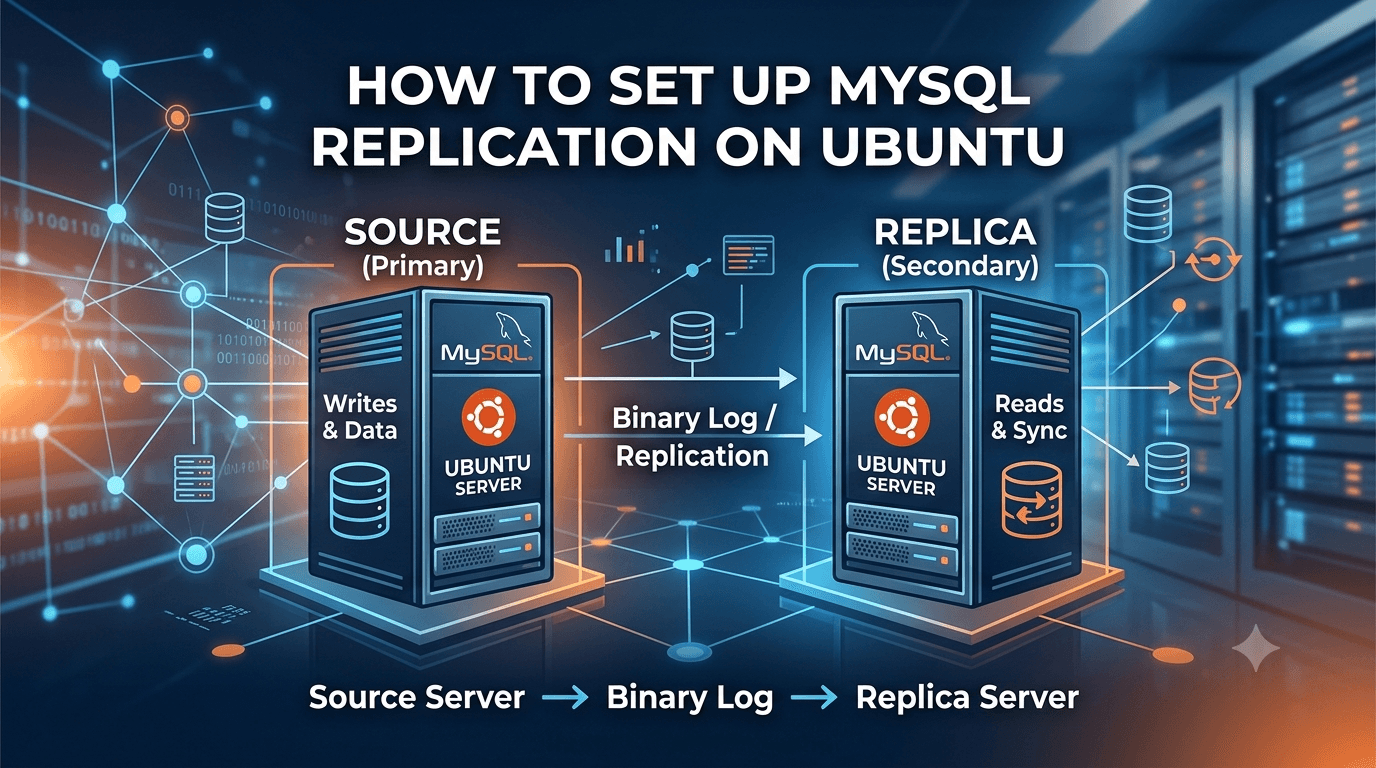
MySQL replication keeps a live copy of a database on a second server. The source takes all the writes and records every change in its binary log; the replica reads that log and replays the same changes on its own copy. You end up with a second server that is always a few milliseconds behind the first, which you can use for read-only queries, reporting, or backups that do not slow down production.
This guide sets up one source and one replica on MySQL 8 using GTID replication. GTID (Global Transaction Identifier) tags every transaction with a unique ID, so the replica can ask for "everything I have not seen yet" instead of you copying binary-log file names and positions by hand. It is the least error-prone way to do this.
Why and When You Need a Replica
A single MySQL server is fine for most small applications. You add a replica when one of these situations shows up:
| Situation | What the replica gives you | Typical sign it is time |
|---|---|---|
| Reads are slowing down writes | Send reports, dashboards and search queries to the replica; production only handles writes and the queries that must be fresh | CPU on the database server climbs every time someone opens a big report |
| Backups hurt production | Run mysqldump or a snapshot on the replica, where a long-running dump bothers nobody | Nightly backups cause timeouts or lock complaints |
| You need a standby copy | If the source server dies, the replica holds the data up to the last second and can be promoted by hand | The business cannot accept losing a day of data, which is what a nightly backup means |
| Analytics or a second team needs the data | Give a BI tool or another application read access to the replica without any risk of it writing to, or slowing, production | Someone asks for "read-only access to the live database" |
Two things a replica does not do on its own. It does not fail over automatically: when the source goes down, a person or a tool such as MySQL InnoDB Cluster or Orchestrator has to promote the replica. And it does not protect you from bad writes: a DROP TABLE on the source is replayed on the replica within milliseconds, so you still need real backups.
If your database fits comfortably on one server, backups finish without anyone noticing and a few hours of downtime would be survivable, you do not need a replica yet. Keep this guide for when one of the rows above becomes true.
Prerequisites
- Two Ubuntu 22.04 servers with MySQL 8 installed. If you need to install it, see How To Install MySQL on Ubuntu.
- The two servers can reach each other on port 3306, ideally over a private network. This guide uses
10.0.0.1for the source and10.0.0.2for the replica. - A user with
sudoon both servers and the MySQL root password.
Step 1. Configure the Source
Open the MySQL configuration file on the source:
sudo nano /etc/mysql/mysql.conf.d/mysqld.cnfFind bind-address and change it so MySQL listens on the private interface, then add the replication settings under the [mysqld] section:
[mysqld]
bind-address            = 10.0.0.1
server-id               = 1
log_bin                 = /var/log/mysql/mysql-bin.log
gtid_mode               = ON
enforce_gtid_consistency = ON
server-id must be different on every server in the setup. Restart MySQL and let the replica through the firewall:
sudo systemctl restart mysql
sudo ufw allow from 10.0.0.2 to any port 3306
Step 2. Create a Replication User
The replica logs in to the source with its own account that can do nothing except read the binary log. On the source:
sudo mysqlCREATE USER 'replica'@'10.0.0.2' IDENTIFIED WITH mysql_native_password BY 'strong_password';
GRANT REPLICATION SLAVE ON *.* TO 'replica'@'10.0.0.2';
FLUSH PRIVILEGES;mysql_native_password is used because MySQL 8's default plugin, caching_sha2_password, requires an encrypted connection for replication. If you already have TLS between the servers you can drop the IDENTIFIED WITH part.
Step 3. Copy the Existing Data
If the source already holds data, the replica needs the same starting point. Skip this step if both servers are empty.
On the source, dump everything with the GTID information included:
sudo mysqldump -u root -p --all-databases --single-transaction --triggers --routines --events --set-gtid-purged=ON > /tmp/source.sql
scp /tmp/source.sql ubuntu@10.0.0.2:/tmp/
--single-transaction takes a consistent snapshot without locking tables, and --set-gtid-purged=ON writes the GTIDs already applied into the dump so the replica knows where to continue from.
Step 4. Configure the Replica
On the replica, edit the same file:
sudo nano /etc/mysql/mysql.conf.d/mysqld.cnf[mysqld]
bind-address = 10.0.0.2
server-id = 2
log_bin = /var/log/mysql/mysql-bin.log
relay_log = /var/log/mysql/mysql-relay-bin.log
gtid_mode = ON
enforce_gtid_consistency = ON
read_only = ONread_only = ON stops applications from writing to the replica by accident; the replication process itself is still allowed to write. Restart MySQL, then load the dump from Step 3 if you made one:
sudo systemctl restart mysql
sudo mysql -u root -p < /tmp/source.sql
Step 5. Start Replication
Still on the replica, open the MySQL prompt and point it at the source. SOURCE_AUTO_POSITION = 1 is the GTID switch: no log file names or positions needed.
sudo mysqlCHANGE REPLICATION SOURCE TO
SOURCE_HOST = '10.0.0.1',
SOURCE_USER = 'replica',
SOURCE_PASSWORD = 'strong_password',
SOURCE_AUTO_POSITION = 1;
START REPLICA;On MySQL versions before 8.0.22 the same commands are spelled CHANGE MASTER TO ... MASTER_AUTO_POSITION = 1 and START SLAVE.
Step 6. Verify It Works
Check the replication status on the replica:
SHOW REPLICA STATUS\GThree lines tell you everything:
Output
     Replica_IO_Running: Yes
    Replica_SQL_Running: Yes
  Seconds_Behind_Source: 0
Both Yes and a lag of 0 means the replica is connected and caught up. If either says No, the Last_IO_Error or Last_SQL_Error line in the same output says why; the usual causes are the firewall, a wrong password, or two servers with the same server-id.
For a real test, create something on the source:
CREATE DATABASE replication_test;and look for it on the replica:
SHOW DATABASES;It should appear within a second. Drop it again on the source and it disappears from the replica the same way.
Conclusion
Replication in MySQL 8 comes down to giving each server an ID, turning on the binary log and GTID, creating a user the replica can log in with, and running CHANGE REPLICATION SOURCE TO with SOURCE_AUTO_POSITION = 1. From here you can point read-heavy reports at the replica, take backups from it instead of production, or add a second replica by repeating Steps 4 and 5 with server-id = 3. Replication on its own does not fail over automatically; for that, look at MySQL InnoDB Cluster or a proxy such as ProxySQL as the next step.